
The OpenID Foundation (US) board election is underway. This time, 6 candidates are running.
(* Voting requires OpenID Foundation membership. Individual membership costs $25 dollars, while corporate membership dues vary according to the size of the organization. If you have not yet registered or if your membership has expired, please use http://www.sakimura.org/how-to-join-oidf/ as a reference when registering.)
Voting is open until February 6.
First, go to https://openid.net/foundation/members/elections/14. You will then be redirected, probably to a screen like the one in Figure 1.
Click “Log In with your OpenID”.
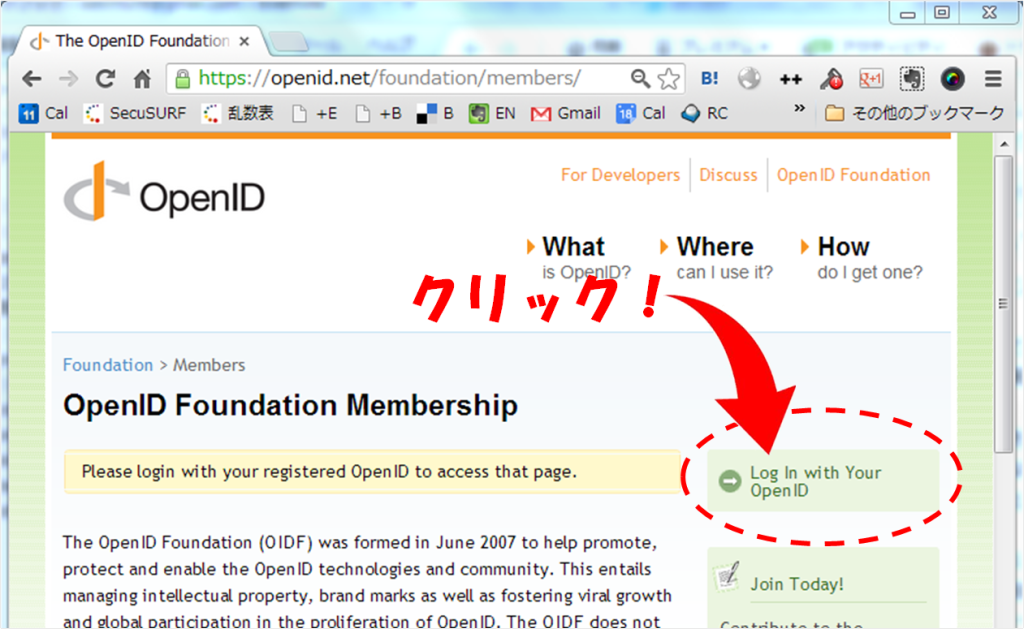
(Figure 1) Login screen
You will then be taken to a screen like the following.
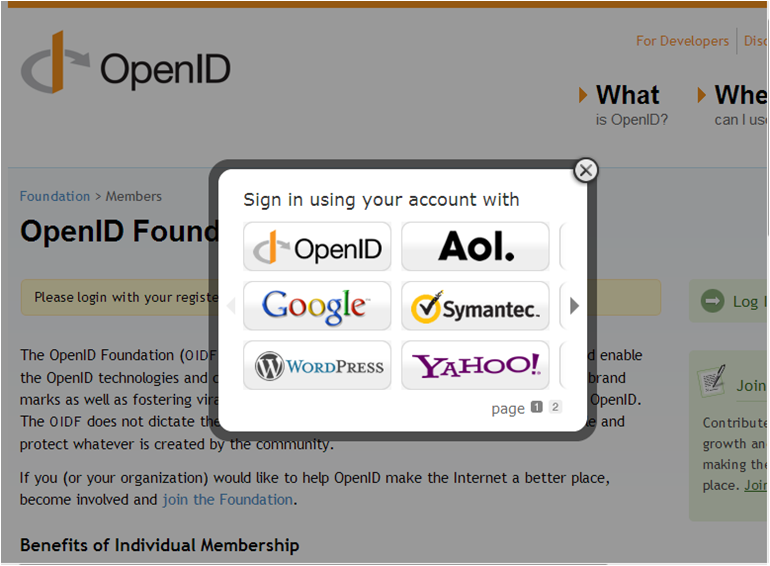
(Figure 2) Selecting a provider
Select the provider you use.
However, Japanese providers such as mixi and Yahoo! Japan are not supported on this screen, so select OpenID.
The following screen will then appear.
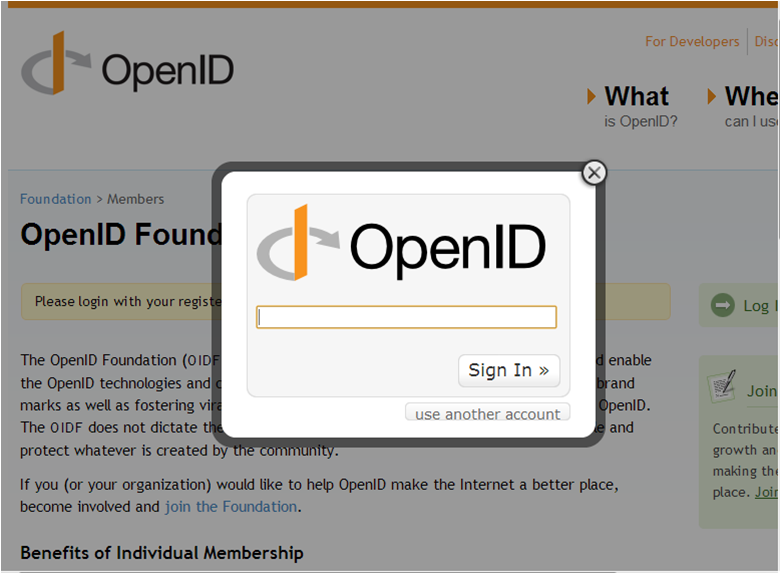
(Figure 3) Provider/User ID entry field
Enter the identifier for the provider you use. For example, for mixi, enter mixi.jp.
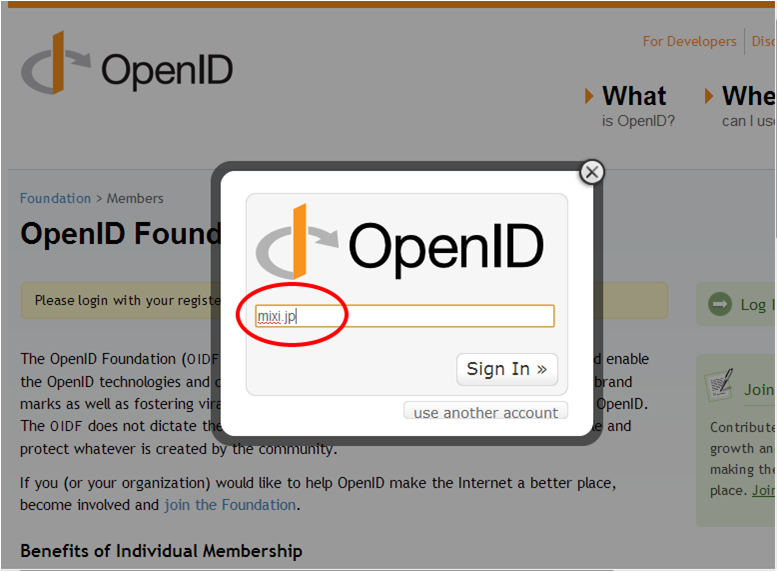
(Figure 4) Entering the provider
For reference, the identifiers for Japanese providers are as follows.
- mixi — mixi.jp
- Yahoo! Japan — yahoo.co.jp
- NTT docomo – nttid.jp
- OCN – nttid.jp
- goo – nttid.jp
- biglobe — biglobe.ne.jp
- KDDI / AU — auone.jp
- Softbank — Under investigation
- excite — excite.jp
- (Others will be added as information becomes available)
From this point on, you will log in using your provider’s normal login flow.
After you log in, the following screen will appear.
You can select up to 5 people, but it is also fine to select only 1 or 2 people. Incidentally, I am at the very bottom of the page after you scroll down.
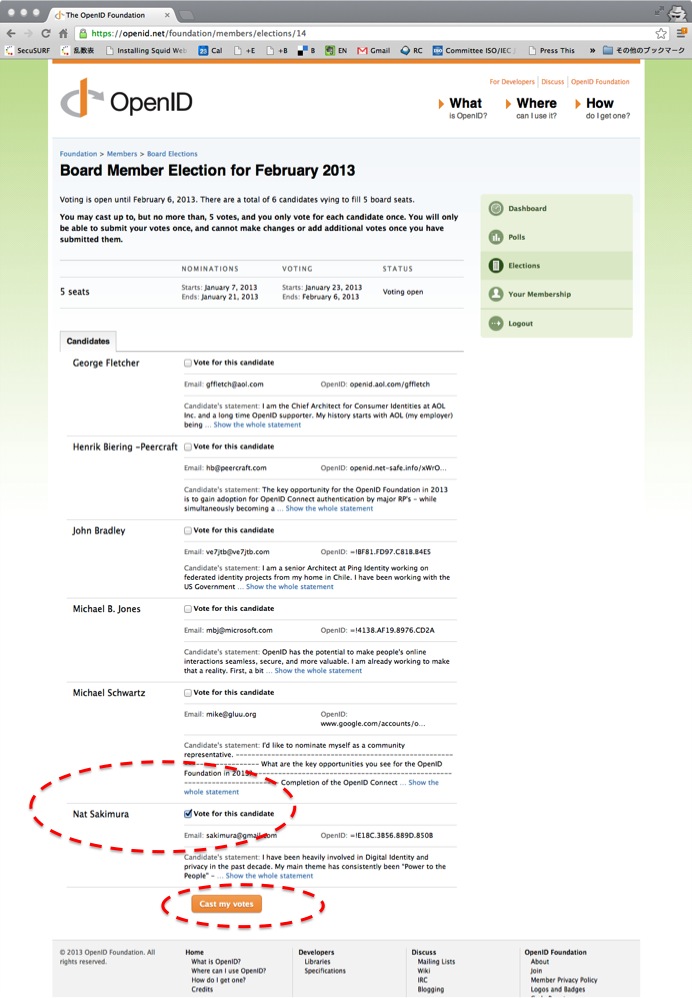
Check the people you want to vote for, then click “Cast my vote” to complete your vote.
Please note that once you have voted, you cannot change your vote.
I sincerely ask for your warm support.
Related posts

OpenAI Launches Sign in with ChatGPT (Based on OpenID Connect)
(Work in progress; last updated 2026-10-02 12:39 JST) On September 29, at DevDay 2026, OpenAI officially announced Sign in with ChatGPT (SIWC). I would like to…
When Software Becomes Staff: Governance, Security, and Safety for Agentic AI
Below is the transcript of my keynote speech at EIC 2026 on May 19, 2026. The slides are provided as a PDF at the end of…

OpenID Summit Tokyo 2026 “Special Edition” Closing Keynote
The tickets apparently sold out instantly, so I had not introduced this event here; however, tomorrow, August 26, I will appear at the OpenID Summit Tokyo…