
I have announced my candidacy in the election for the OpenID Foundation Board of Directors, seeking election for the 3 time (a 1th term totaling 2 years).
Over the past 2 years, I have worked to organize intellectual property relating to OpenID and to promote the development of protocols suited to the new mobile- and cloud-centered era, including OpenID Connect, Account Chooser, and Backplane. However, there is still much work left to do. I would be most grateful for your warm support.
The Board election consists of 2 phases.
- Gathering seconds (January 7–January 21)
- Voting (January 21–February 6)
We are currently in the phase of gathering seconds. Instructions for each phase are provided below.
1. How to Second My Nomination
* You must be a member of the OpenID Foundation to second a nomination. Individual membership costs $25, while corporate membership dues vary according to the size of the organization.
First, go to https://openid.net/foundation/members/elections/14 . You will then be redirected to a screen like the one shown in Figure 1.
Click “Log In with your OpenID” here.
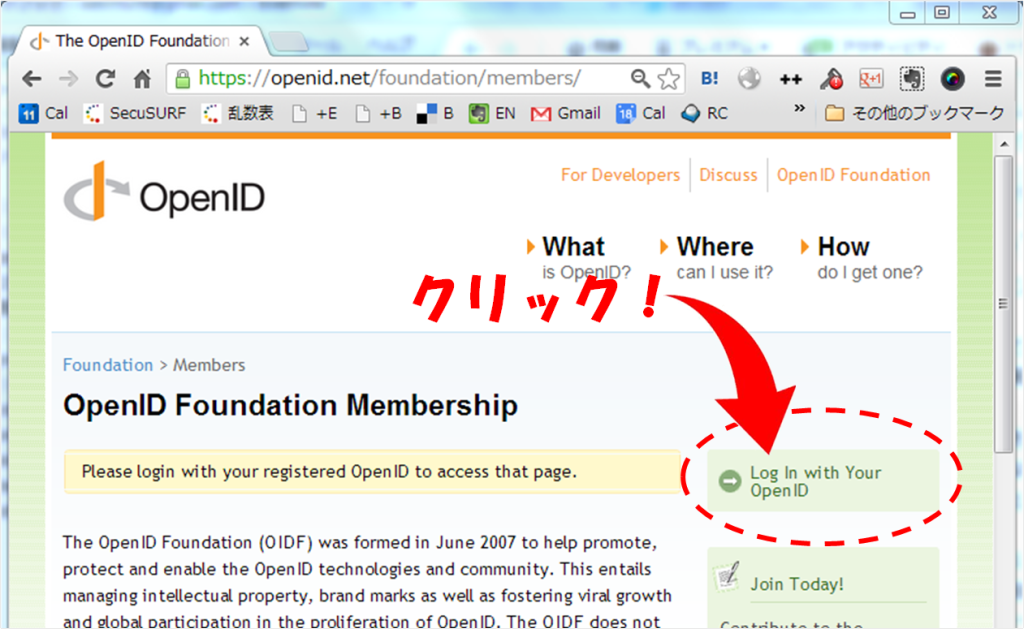
You will then be taken to the following screen.
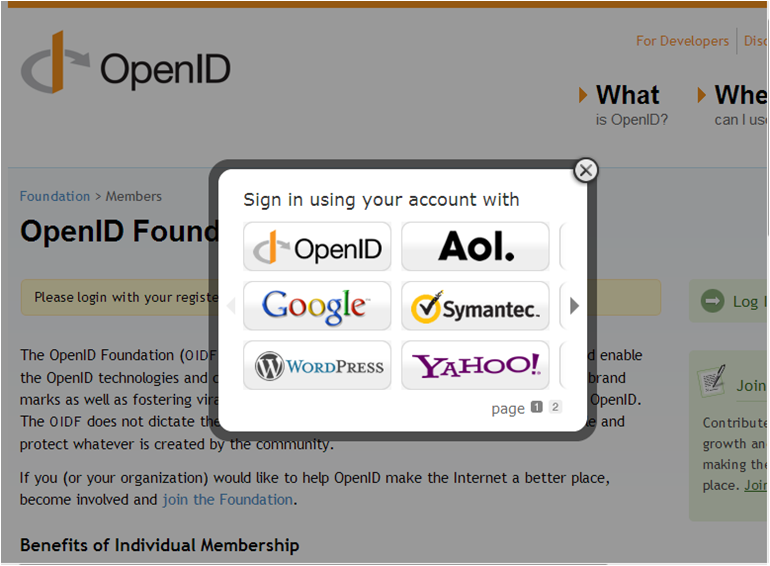
Select the provider you use here.
However, Japanese providers such as mixi and Yahoo! Japan are not supported on this screen, so select OpenID.
In that case, the following screen will appear.
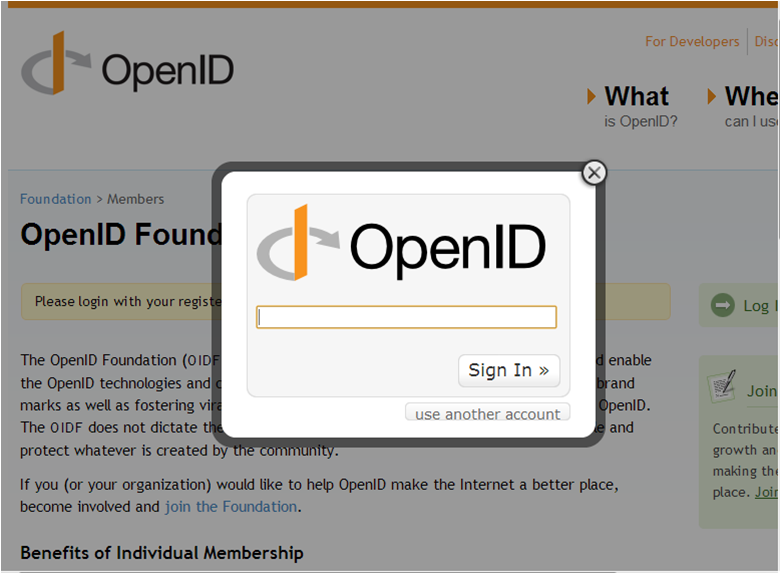
Enter the identifier for the provider you use. For example, for mixi, enter mixi.jp.
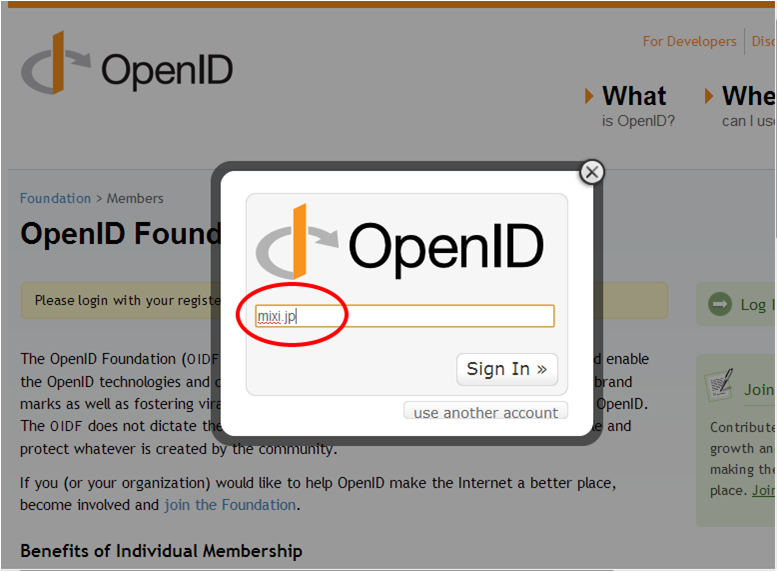
For reference, the identifiers for Japanese providers are as follows.
- mixi — mixi.jp
- Yahoo! Japan — yahoo.co.jp
- NTT docomo — nttid.jp
- OCN — nttid.jp
- goo — nttid.jp
- biglobe — biglobe.ne.jp
- KDDI / AU — auone.jp
- Softbank — Under investigation
- excite — excite.jp
- (Others will be added as needed.)
From this point onward, you will log in by following your provider’s standard login flow.
After you log in, the following screen will appear.
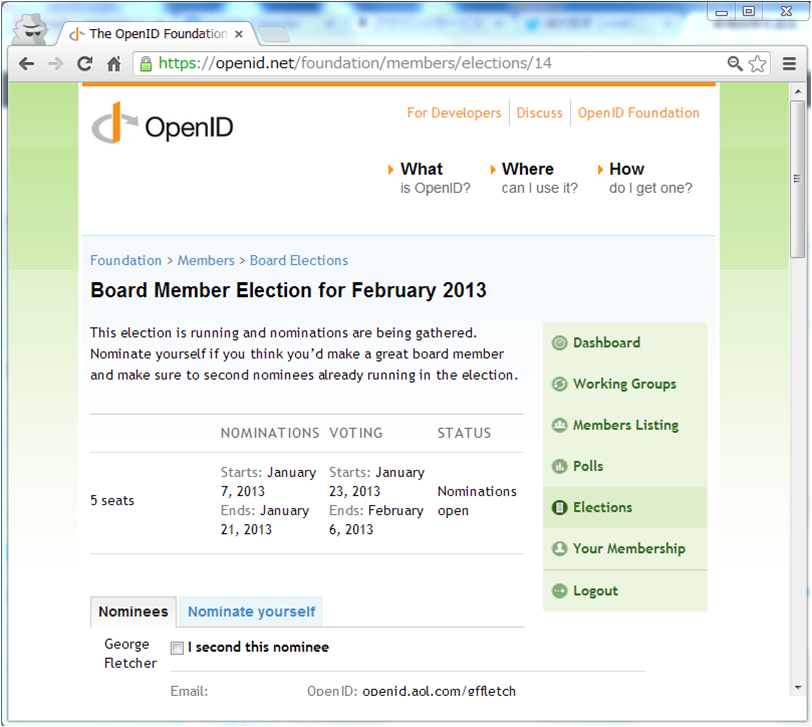
On this screen, you can read each candidate’s statement. This screen is also where you register as a seconder. Check “I second this nominee” and submit the form to complete your registration as a seconder.
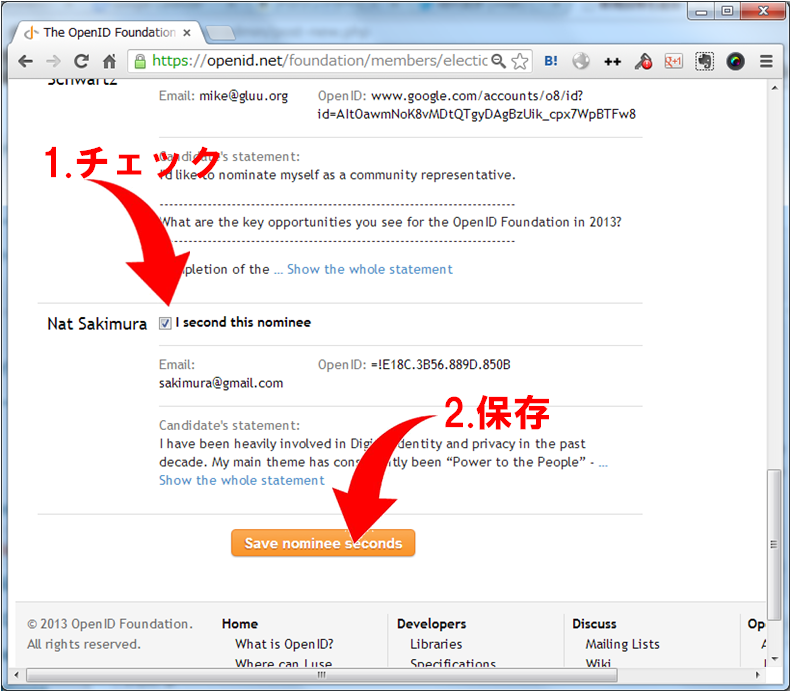
I spent some time deliberating over whether to run, so as of today I am the final candidate on the list. Scroll to the bottom to find me. If you would like to second my nomination, check the box as shown below and save your selection.
2. Voting
As noted above, voting will take place from January 21 to February 6. The voting screen is not yet accessible. Up to the point where you finish logging in, however, the procedure is exactly the same as for seconding a nomination above.
Go to https://openid.net/foundation/members/elections/14 and log in; the following screen will appear. You may select up to 5 people, but it is also fine to select only 1 or 2 people. I am at the very bottom of the list after you scroll down.
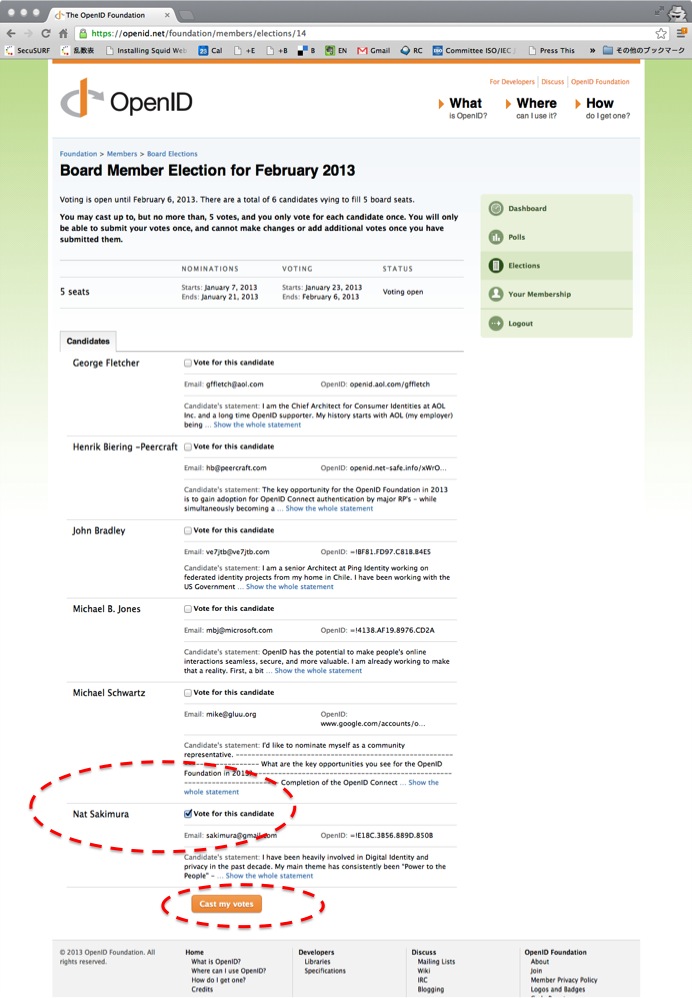
Check the people you wish to vote for, then click “Cast my vote” to complete your vote.
Please note that once you have voted, you cannot change your vote.
I sincerely ask for your warm support.
Related posts
OpenID Foundation Board Election Is Underway
The OpenID Foundation (US) board election is underway. This time, 6 candidates are running. (* Voting requires OpenID Foundation membership. Individual membership costs $25 dollars, while…

I am running in the OpenID Foundation Board election (2025)
I have just declared my candidacy in the OpenID Foundation Board election (2025). If you are a member, I would greatly appreciate your seconding my nomination.…
U.S. OpenID Foundation Begins 2010
Today, the U.S. OpenID Foundation held its first board meeting of 2010. The main topics today were deciding the committee structure for this term, appointing the…
You must be logged in to post a comment.