
Flickr was acquired by Verizon in 2017. It was subsequently resold to SmugMug, and the service is about to change. Free accounts will be able to access only 1000 photos. The message is effectively, “Pay if you want access,” which makes it feel a little as though your photos are being held hostage.
But do not worry. This is a good opportunity to download everything in bulk and move it to Google Photos, Amazon Prime Photos, or another service.
Here is how to download the photos.
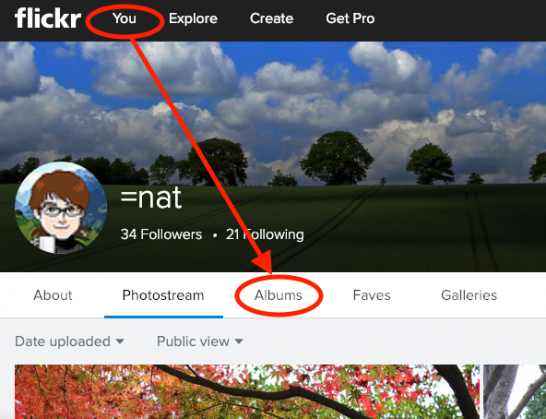
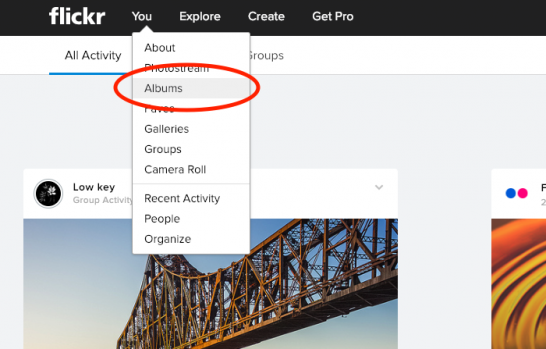
- First, after logging in to Flickr, click the “You” button.
- Next, click “Albums.”
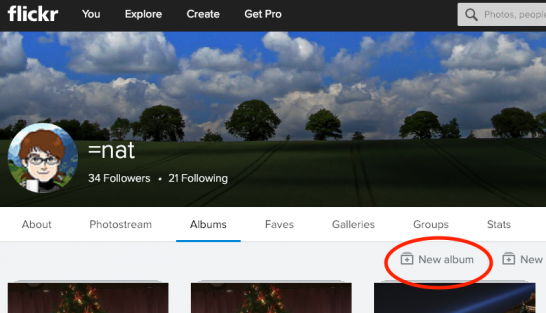
- Click “New Albums.”
- A screen like the one below will open. Click “Select All,” circled in red in the image.
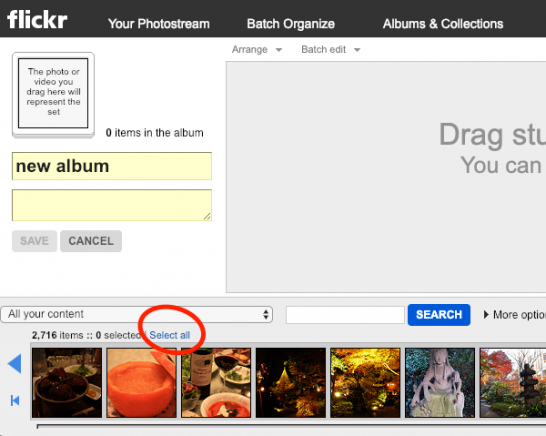
- Once selected, drag and drop the photos into the gray area above.
- After they appear there, enter any title you like, such as “All,” where the image above says “new album,” and press the blue-highlighted “SAVE” button. This will probably take quite a while. Have some coffee while you wait.
- After saving, you should arrive at a screen like this.
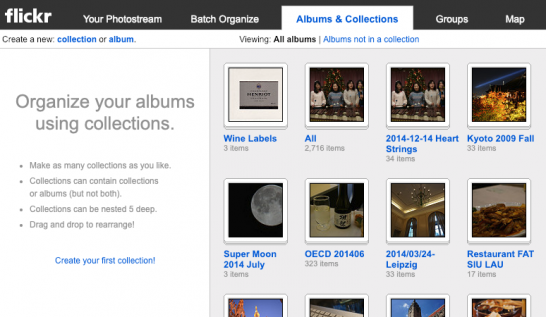
- Click the “flickr” logo in the upper left. This takes you to the home screen, where you should select “Albums” under “You.”
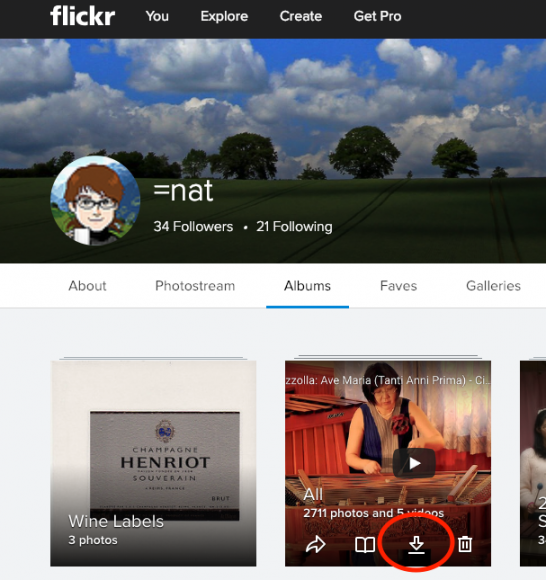
- The Albums screen appears. Move the mouse over the album thumbnail, and a download button like the one circled in red will appear.
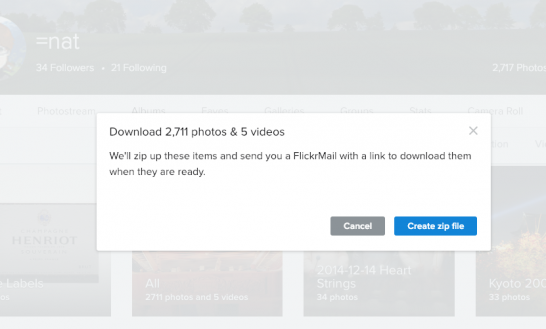
- Click it, and Flickr will ask whether to create a ZIP file as shown below. Choose “Create zip file” without hesitation.
- This takes quite a while. The notification arrives through FlickrMail. Despite the name “Mail,” this simply means the bell notification in the upper right. Open it and wait; eventually you will see a screen like this.
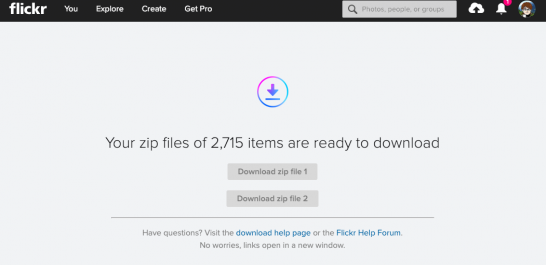
- Because the file size was large, it was divided into 2 ZIP files. Download each one.
- Unzip the downloaded files and upload them to Google Photos or another service of your choice.1
For those who insist, “But I prefer Flickr!”, the Pro service is discounted for a limited time until January 8, 2019. The discount code is:
“FLICKRPRO15”
Only 2 days remain, so hurry!
Why is this article categorized under “Identity”, you ask?
Is a Photo Stream not one of the foremost expressions of your identity? Suddenly losing access because of the service provider’s circumstances reminds us of the importance of Self-Sovereign Identity.
I hope 2019 will become the inaugural year of Self-Sovereign Identity!
Once again,
Happy New Year
Footnotes
Related posts
Today’s Accomplishments
I am actually supposed to work on Xoops + OpenID, but I have not. The things I have to do always get put off until later…
mDL/mdoc Standards Are Now Available to Access Free of Charge
As I shared in real time with those who follow me on X, standards related to mDL/mdoc are now available to access free of charge at…
How to View JIS Standards for Free
Many people probably think that they have to buy JIS standards in order to read them, but in fact, you can view them for free from…
You must be logged in to post a comment.