
When I met my friend Johannes, who has even been honored at the Davos conference, at the end of last year, he said, “You’re still using OwnCloud? It’s about time you switched to NextCloud.” So, because (1) it was the New Year holiday and my wife and children had gone to the first sales of the year, (2) I had kept postponing the OwnCloud upgrade, and (3) Johannes was also considering porting the OpenID Connect server to NextCloud, I casually decided to migrate my own repository to NextCloud.
The target NextCloud version was 13.0.8.2, while the OwnCloud version I was using was a long-overdue 8.2. I therefore gave up on a conventional migration 1, and decided instead to perform a clean installation of NextCloud and upload the files again.
When installing NextCloud on DigitalOcean, the recommended approach appears to be using the snap package-management system. This method is very easy. However, if, like me, you have manually installed some components such as Apache, you can get stuck. It is best to do everything with snap. In the end, I abandoned the server on which I had installed LAMP with apt, created a new server, and installed everything with snap. It was extremely easy, so I recommend this approach.
The procedure is as follows.
- Create a new Droplet on DigitalOcean. This time I built it with Ubuntu 16.04.5. 2
- Use snap to install NextCloud according to the manual34 Specifically:
snap info nextcloud
sudo nextcloud.manual-install NextCloud administrator username password
sudo nextcloud.occ config:system:set trusted_domains 1 --value=hostnamesudo ufw allow 80,443/tcp
sudo nextcloud.enable-https lets-encrypt
After installing NextCloud this way, a NextCloud folder should be created under /var/snap/.
Because the administrator account has already been created above,
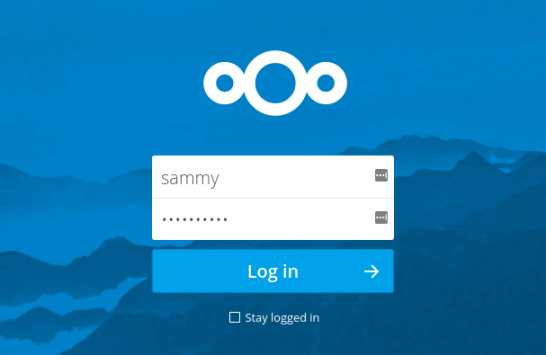
https://ホスト名/
accessing it should display a screen like the one below. (Sammy is the administrator name.)

After logging in, you can add users and perform other tasks.
Incidentally, the installed NextCloud version is recorded in
/var/snap/nextcloud/current/nextcloud/config/config.php
.
Footnotes
- because it would be troublesome to upgrade sequentially, such as 8.2 → 9 and 9→10
- For details, see https://www.digitalocean.com/community/tutorials/initial-server-setup-with-ubuntu-16-04.
- https://www.digitalocean.com/community/tutorials/how-to-install-and-configure-nextcloud-on-ubuntu-16-04
- Note, however, that the path was not present exactly as described in the manual.
Related posts

Installing Lubuntu 14.10 on an EeeBox
In a corner of our server room—also known as the storage closet—sat, for nearly 4 years without being powered on, an EeeBox[1]. I had erased its…

If You’re Making a Presentation, gamma.app May Be the Way to Go
Yesterday, information saying, “If you’re making a presentation, use gamma.app,” reached me from 2 independent directions. So I started by trying the free version. To give…

Migrating WordPress Brought Up the Dreaded Installation Screen
Yes, I ran into this this morning as well. With MyISAM, you only need to move the database files, but because InnoDB was involved this time,…