
People who often research videos and Web pages should use Otio AI. It makes the process incredibly efficient. Conversely, people who only occasionally read a page closely or watch a video carefully should use it too. It identifies the key points and explains them 10 times more thoroughly than an inexperienced person could.
What Is Otio AI?
Otio AI specializes in research restricted to specified source materials. You can paste the URL of a Web page or YouTube video to grasp its overview, then dig deeper by asking follow-up questions. I was impressed that it summarized a Japanese YouTube video in 1/10 of the time.1 It is also remarkably easy to create a summary of OpenID for VCI and learn more by asking it additional questions. Restricting research to only the sources you specify is a major benefit for increasing confidence in the results. At present, however, it effectively works only from a PC or Mac and cannot be used from a smartphone. For PDFs, PopAI is better in that respect because it has a mobile app. (It also has various other features, such as creating presentations, that give it uses different from Otio AI; I will cover those in another article.)
The free version has a strict limit of 15 questions per month, but it is good for trying the features and for people who occasionally want a quick summary of a YouTube video or an overview of a page or PDF. For someone like me, who is likely to use it without limit, the Max version is probably better.
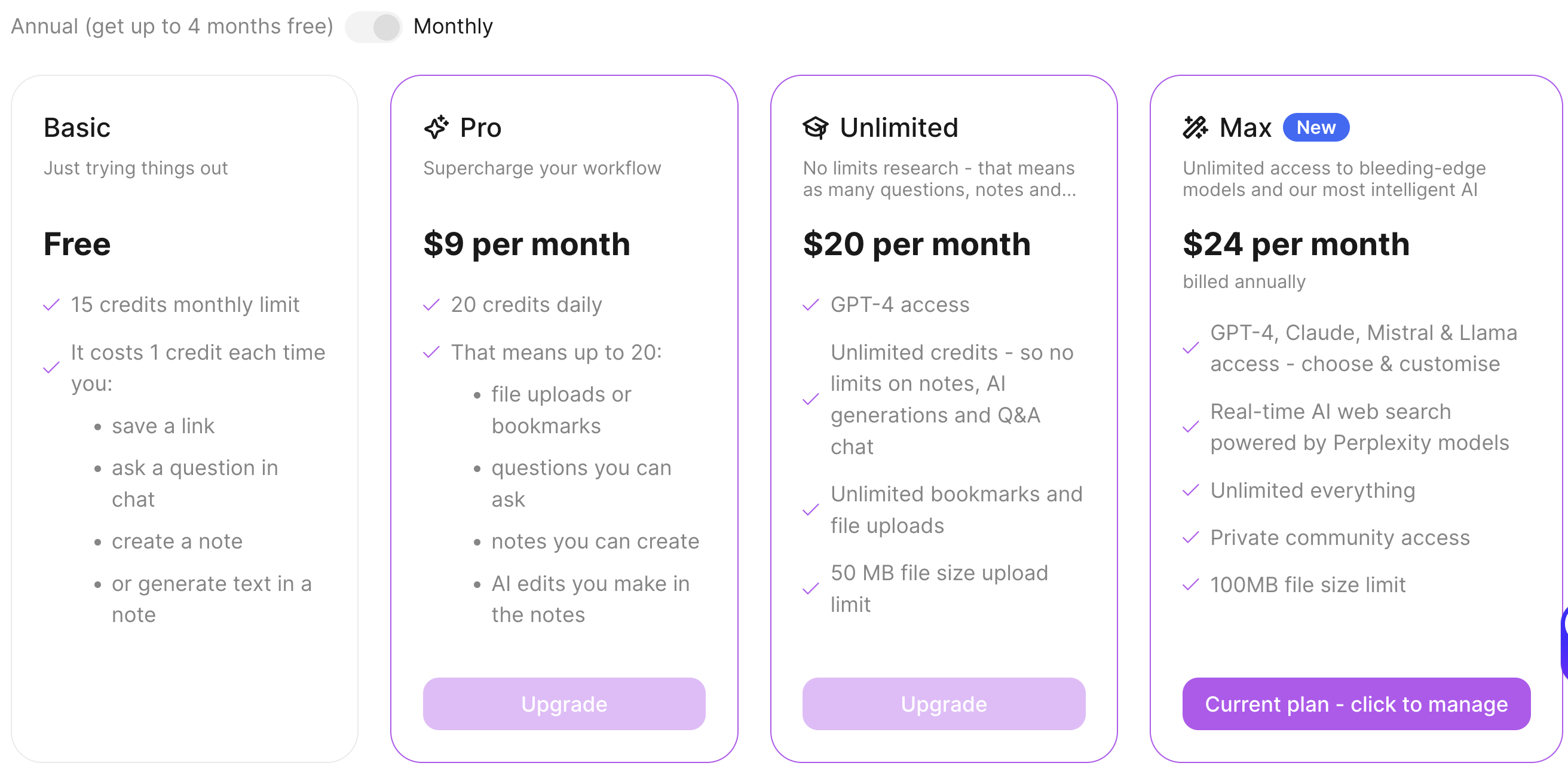
The Max version offers:
- Support for GPT-4o, Claude, Llama3, and Mistral
- URLs, PDFs, YouTube, audio files, and CSV (files up to 100MB)
- AI chat, summaries, and editor
- Automatic citations and references
- Research using Perplexity’s model (but without Pro features)
It is therefore extremely feature-rich. I promptly bought the Max version with the annual discount.
So here is a quick look at what it is like.
Summarizing a Japanese YouTube Video
First, let us have it read a Japanese YouTube video. I used a video recommended to me on YouTube titled “The Best Subsidy You Would Seriously Regret Not Receiving.” Apparently it would be a serious waste to miss it, so I felt I should watch it—but when I do not have 15 minutes to spare, Otio is useful!
On the Otio screen, press the “Import file or link” button, select “? Paste Link,” paste the URL of the YouTube video into the text box, and press “Add.”
You can apparently specify multiple items here, but for now press “Save” to continue. The content will load. After waiting 1 to 2 minutes for loading to finish, a tile with the video’s thumbnail appears below. Click it to open the loaded YouTube screen, then press “Summary✨️” at the upper right to display the video’s contents as text. This lets you understand the overview of a 10-minute video in 1 minute.
(Example summary of the video)
Overview of the Small Business Sustainability Subsidy
- Provides subsidies for promotional expenses to small companies among SMEs.
- Subsidies range from ¥500,000 up to ¥2.5 million.
- The 15th application round has opened, with an application deadline of March 14.
Available Application Categories
- Standard category:
- Up to ¥500,000, covering 2/3.
- Wage-increase category:
- Up to ¥2 million by raising wages, covering 2/3.
- Graduation category:
- Up to ¥2 million by graduating from small-business status, covering 2/3.
- Successor-support category:
- Up to ¥2 million for participating in specified events and achieving results.
- Startup category:
- Up to ¥2 million for taking a course for entrepreneurs certified by the local chamber of commerce.
Eligible Expenses
- Machinery and equipment purchase costs:
- Machinery or system construction to increase sales.
- Publicity expenses:
- Distributing flyers and installing signs.
- Website-related expenses:
- Creating landing pages or e-commerce sites, limited to 1/4 of the total.
- Trade-show exhibition expenses:
- Booth costs and similar expenses.
- Travel expenses:
- Transportation costs for promotional activities.
- New-product development expenses:
- Prototype production costs and similar expenses.
- Reference-material purchase expenses:
- Costs of purchasing materials to sell new products or services.
- Rental expenses:
- Rental costs such as leases.
- Equipment disposal expenses:
- Costs of disposing of equipment to begin a new service.
- Outsourcing expenses:
- Expert consultation fees and similar expenses.
Points to Note
- Bank transfers are the general rule:
- Cash payments are not allowed.
- Timing of purchases:
- Expenses incurred from the date of notification of the subsidy award decision are eligible.
- Cash flow:
- Because the subsidy is paid afterward, cash on hand is required.
Application Tips
(Source)“Companies That Do Not Use This Program Will Fall Behind…!”
- Refer to previously accepted applications:
- Search for and refer to past accepted applications on the Small Business Sustainability Subsidy website.
It has little mistakes, such as turning “promotion” into “foul play,” but that is part of its charm. Conversely, it also shows that the text was taken from the audio. The meaning is sufficiently clear. At Authlete, where I serve as an outside director, travel, reference-material purchases, and outsourcing expenses might be eligible. I should also check the definition of an SME. Entering a question in the Chat field on the right makes it answer using this video as the source.
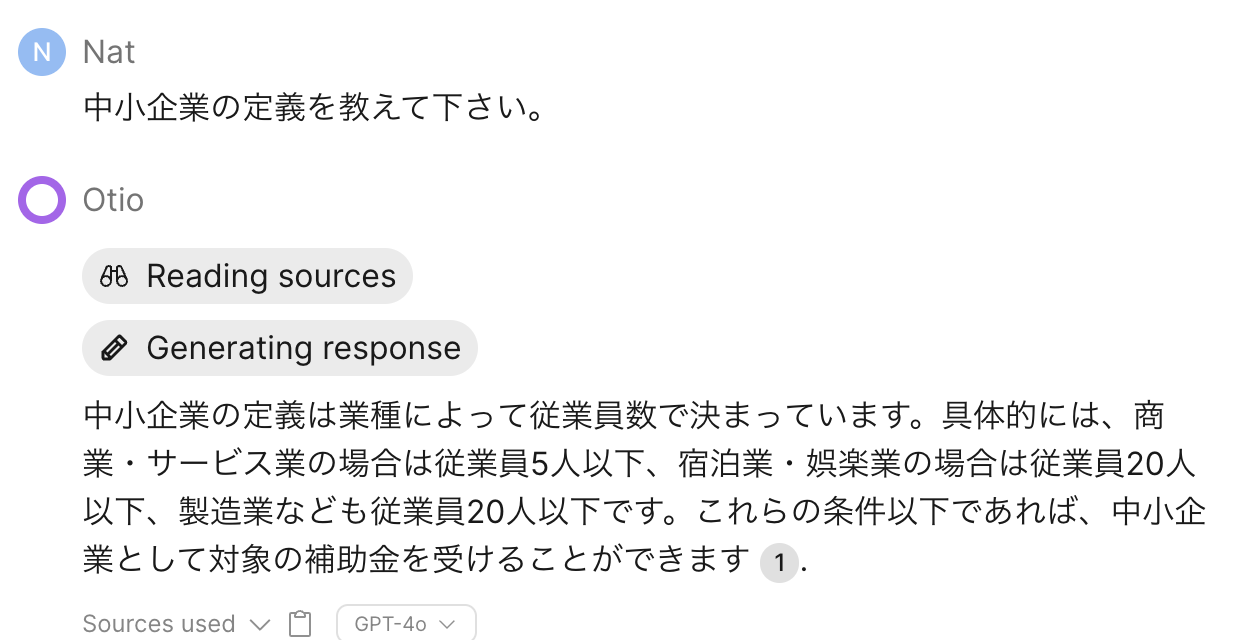
Hmm, it feels like it might work…
This video was somewhat old and covered the 15th Small Business Sustainability Subsidy round, so its application deadline of March 14 had long passed. According to Perplexity, the 17th round is apparently underway now.
| The deadline for the 17th Small Business Sustainability Subsidy is August 29, 2024 [3]. Citations: [3] https://leon-strategy.com/jizokuka_305 |
Otio also has a Web-search feature using Perplexity’s model, but it is still experimental and somewhat inferior to Perplexity.AI itself. That may be even more noticeable because I use Perplexity’s paid version.
Loading a Japanese Slide PDF
Next, let us load Japanese slides. I used the Personal Information Protection Commission Secretariat’s slides dated April 24, Reiwa 6, “Review under the So-Called 3-Year Review Provision of the Act on the Protection of Personal Information (How to Provide More Substantive Protection of Individuals’ Rights and Interests ③)”. As with the YouTube video, load it by specifying its URL. The “Summary” appears as shown at the linked page.
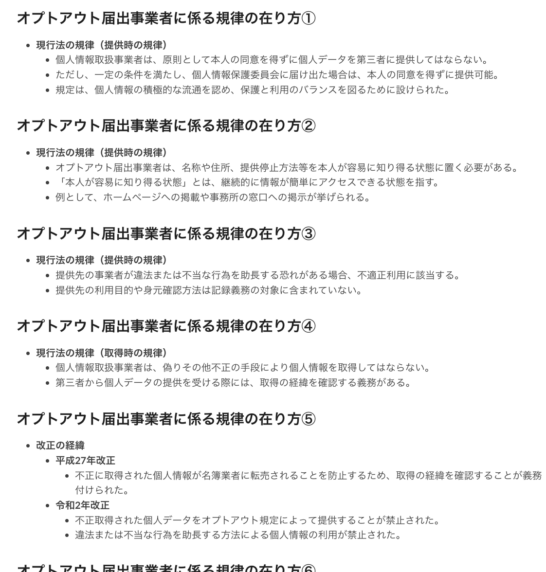
As with the video, you can then use Chat to ask various questions about the document and check its contents. I used only one PDF this time, but loading a whole series of files and asking questions about them seems likely to work quite well.
Loading an HTML Page
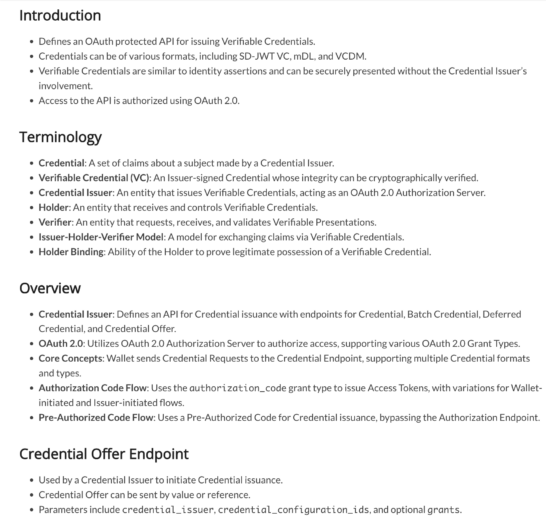
Finally, let us load an HTML page. I tried it with “OpenID for Verifiable Credential Issuance – draft 13.” It produced a fairly good English Summary, including variable formats. There is little point in putting a very long and detailed English summary into this Japanese post, so I will provide only the link, but it is quite good.
Conclusion
This time I tried one source from each category, but specifying multiple sources seems likely to make it even more effective. I would like to report again after using it more extensively. Above all, it is extremely convenient that answers rely only on the sources you specify. Hallucinations can be expected to decrease substantially. Google’s NotebookLM is similar, but Otio appears superior in areas such as the ability to specify YouTube videos as sources. (NotebookLM will probably catch up soon.)
That said, I do have some complaints.
- As with Perplexity and other tools, there is a bug where confirming Japanese input submits the chat.
- I also cannot find a way to translate the English Summary directly into Japanese.
- Furthermore—and this may be the biggest issue—it cannot be used from mobile devices!
- Files are limited to 100MB. For videos, that means roughly 10 to 15 minutes. This also seems related to the current model being GPT-4o. It may improve if models such as Gemini 1.5 Pro become available.
Even so, there is no doubt that it is highly useful.
Still, the number of AI tools I pay for keeps growing. I need to streamline them a little…
Footnotes
- Because the maximum file size is 100MB, the practical length limit seems to be around 15 minutes, though…
Related posts
Editing Video with Final Cut Express
I finally began editing the video from Mexico that I had kept postponing. I could have used iMovie, but this time I tackled it with Final…
Recently, I’ve Been Really Into Making Videos
I have been converting the videos I took in Germany into MP4 one after another and making it possible to add an index. I do not…

Elon Musk Tells Employees That Twitter Will Become a Bank
Twitter Will Provide Banking Services Twitter's new owner, Elon Musk, reportedly said at employee meeting No. 1 that Twitter would become a banking and (international) payments…
You must be logged in to post a comment.