
After dinner, I continued working. I tried placing numbers on Form A.
To make it possible to place numerical values in a loop, I organized the variables into an array.
Then:
1) First I tried laying them out in Arial, but its proportional spacing did not work well.
2) I switched to Courier, but seriously doubted whether it could be recognized as an OCR font.
3) Finally, I created a version of the government-specified OCRB font that FPDF could use.
Procedure:
(1) Obtain the OCRB font (OCRB.ttf). (Obviously….)
(2) Obtain ttf2pt1-3.4.0-macos10-ppc from here.
(3) Create a font/ocrb folder, put the OCRB.ttf file above into it, and run:
$ ttf2bl1 -a OCRB.ttf ocrb
(4) Create mf.php as shown below and run it from a browser.
include(”../makefont/makefont.php”);
MakeFont(“ocrb.ttf”, “ocrb.afm”);
?>
(5) Copy the generated ocrb.* files to ../ .
Using this, I positioned the text through trial and error. I simply could not make it fit properly in the boxes…orz.
Form A more or less fit, but Form B was impossible!
Related posts
Creating Fonts, Part 2
Well then, after sleeping for about 4 hours, I tried again with a fresh mind. Pressing the “T” button brings up the following dialog, “Transform Wizard.”…
Shall I Make a Font…?
It cannot be helped. Perhaps I should make a custom font with well-adjusted letter spacing… So I searched for font-creation software. FontForge looked good, but installing…
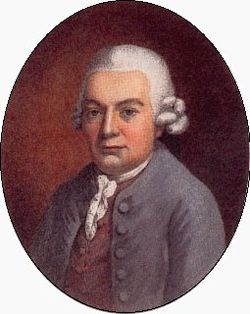
C.P.E. Bach, Father of Classical Music: 300th Anniversary of His Birth
Ah, I have given it another sensational title. Nevertheless, I do not think it is entirely wrong to call C.P.E. Bach (Carl Philipp Emanuel Bach), whose…