
In the digital age, passwords remain one of the most widely used means of authentication. But did you know that many traditional password policies have actually been counterproductive?
SP 800-63B-4, published by NIST (the U.S. National Institute of Standards and Technology), provides the latest guidance on password security and includes provisions that overturn conventional wisdom. (Though they have long been common knowledge among experts….) This article explains the core of this important document in plain language for those responsible for password-based user authentication systems within companies, as well as those who set such policies and business executives.
The 2 Categories of Passwords
NIST SP 800-63B-4 classifies passwords into the following 2 types.
1. Passwords Secret information verified on the server side. It is sent to the server when the user logs in and is verified centrally.
2. Activation Secrets Secret information verified locally within a device. It is not sent to the server; one example is a smartphone unlock PIN.
New Requirements That Overturn Conventional Wisdom
❌ What Not to Do
Do Not Force Periodic Password Changes
- Forcing password changes every 90 days is no longer recommended
- A change should be required only when there is evidence of compromise
- Reason: Frequent changes cause users to choose predictable, weak passwords
NOTE: Some consultants say this is often required by ISMS and similar frameworks, but that is “wrong.” Far from saying any such thing, ISO/IEC 27002 states, “Requiring frequent change of passwords can be problematic .” (I wrote this part of the text in the first place…. I think that was around 2013. Note, however, that there are situations where passwords must be changed.)
Do Not Impose Complexity Requirements
- Requirements such as “must include uppercase letters, lowercase letters, numbers, and symbols” SHALL NOT be imposed
- The document explicitly states that they are actually harmful
- Reason: Such requirements cause users to employ predictable patterns such as “Password1!”
Do Not Use Password Hints
- Hints and security questions such as “What is your mother’s maiden name?” must not be used
- They are valuable sources of information for attackers. More to the point, this is highly likely to be information known in multiple places, so it would be disastrous if something like this could be used to reset an authentication method.
✅ Recommended Requirements
1. Password Length
- Single-factor authentication: at least 15 characters
- As part of multi-factor authentication: at least 8 characters
- Maximum length: should permit at least 64 characters
Length is the key to strength. A common password word altered using commonplace symbol-substitution rules (a→@, o→0, s→5, and so on), such as “P@ssw0rd,” is far weaker than “correct horse battery staple.” This topic gets into finer detail, so readers who are interested should see Appendix A at the end of the article.
NOTE: The current ISO/IEC 27002 contains language to the effect that combinations of dictionary words should be excluded (5.17 User responsibilities, C) 2)). I overlooked that. We will have to remove it in the next edition….
2. Character Flexibility
- Accept all printable ASCII characters and spaces
- Unicode characters (Japanese, emoji, and so on) should also be supported
NOTE: To be honest, I have some reservations about this because it introduces the issue of Unicode normalization. (Incidentally, NFC normalization is recommended (SHOULD).) - This allows users to create strong passwords that are easy to remember
3. Implement a Blocklist
Verifiers must compare passwords against a blocklist that includes:
- Passwords leaked in past breaches
- Dictionary words
- Context-specific information such as the service name or username
- Common passwords such as “123456” and “password”
If a password is on the blocklist, explain why it was rejected and have the user choose another password.
4. Actively Support Password Managers
- Allow the use of password managers (mandatory)
- Support autofill
NOTE: This is necessary for using password managers. I do not know what to make of the recent proliferation of sites in Japan that do not support it…. - Enable paste functionality
NOTE: Same as above - Reason: Password managers allow users to use a strong, unique password for each service
NOTE: Not only that, but many password managers verify the URL into which they enter credentials. This is important for phishing resistance.
5. Improve the User Experience
- Provide an option to display the password (so it is visible while being entered)
- This reduces input errors and user frustration
NOTE: This is important mainly on smartphones and similar devices.
Server-Side Requirements: Secure Storage
There are also strict requirements for password storage:
Requirements
- Use an appropriate password hashing scheme
- Use a salt of at least 32 bits
- Store both the salt value and the hash
- Store them in a form resistant to offline attacks
Recommendations
- An additional cryptographic operation using a secret key known only to the verifier
- Store this secret key separately from the hashed passwords
Requirements for Activation Secrets (PINs)
There are also requirements for secrets used within devices, such as smartphone unlock PINs:
- At least 4 characters (6 or more recommended)
- May consist entirely of digits
- Limit consecutive failed attempts to 10 or fewer
- Implementation of a blocklist for common PINs (such as 123456) is recommended
- At AAL3, verification in a hardware-protected environment (such as a secure element, TPM, or TEE) is mandatory
Implementation Impact
These requirements affect both service providers and users:
For Service Providers
- Existing password policies need to be reviewed
- Implement blocklist functionality
- Ensure support for password managers
- Rebuild user education
For Users
- Can choose passwords that are easier to remember
- Use of a password manager is recommended
- Freedom from unnecessary periodic changes
- A better user experience
Conclusion
NIST SP 800-63B-4 presents evidence-based password policies that emphasize a balance between security and usability. The key points are:
- Length determines strength – Prioritize length over complexity
- Periodic changes are unnecessary – Do not force changes unless there is evidence of compromise
- Use a blocklist – Actively block known weak passwords
- Recommend password managers – Use technology to assist users
- Focus on the user experience – Security and usability can coexist
Passwords will continue to play an important role in digital identity management. By following the guidance in NIST SP 800-63B-4, you can build systems that are more secure and easier to use.
Do your organization’s or service’s password policies conform to these latest standards? Now may be the time to review them.
(I am also planning to make a separate, more technical YouTube video that is not a Short. Stay tuned.)
It did not end up being as detailed as I had hoped, but I made a YouTube video. I hope you enjoy it. (I was thinking it might be faster and better to do it as a live stream while taking questions, but I happen to be somewhere with a bit of a time difference—on the West Coast.)

Appendix A: Password Strength
@yunishio pointed this out in a tweet (an X post), and I agreed that it could indeed be misleading. I therefore added an underlined clarification to the main text and provide the details below.
よくまとまっているけど、1か所だけ致命的な間違いがあります。
→「P@ssw0rd」よりも「correct horse battery staple」の方が遥かに強力です。
後者は、英数字8文字ていどの強度しかないです。🙂
NIST SP 800-63B-4:パスワードセキュリティの新基準を読み解く https://t.co/ZaZ5iiMiE2 via @_nat
First, as background, “correct horse battery staple,” mentioned in the main text, was used as a specific example of a “long passphrase that is easy for a human to remember” in the “Password Strength” episode 936 (August 2011) of the American webcomic “xkcd,” which was intended to raise awareness of password strength. The phrase has become almost symbolic in discussions of password strength and has in fact played a historic role in promoting the passphrase approach. Conversely, that means this passphrase must of course be included in the blocklist when passwords are registered.
As I added to the main text, what SP800-63-4 says is that requiring combinations of symbols and numbers has been shown to lead people to apply commonplace substitution rules to commonplace words, so such requirements should be abandoned. With that in mind, let us calculate the entropy.
Let us start with the passphrase.
Calculating the Entropy of a Word Phrase
First, let us establish the underlying formula.
Entropy (bits) = log2(size of the trial space).
If the trial space contains X possibilities, the amount of information is log2(X) bits.
When a dictionary has size N and k words are randomly selected from it:
H = k log2(N)
Thus:
- N=3,000: per 1 words, log2(3000)≈11.55 bits per word
→ 4 words: 4×11.55≈46.20 bits - N=25,000 (the approximate number of words in the Cambridge Concise English Dictiionary): per 1 words, log2(25000)≈14.61 bits per word
→ 4 words: 4×14.61≈58.44 bits
This gives approximately 46.20–58.44 bits.
Meanwhile, from 62 alphanumeric characters (a–z, A–Z, 0–9), randomly selecting 8 characters gives:
- log2(62)≈5.9542 bits/character
- → 8×5.9542≈47.63≈47.63 bits
This is about the same. The information content of 2 alphanumeric characters is 2×log2(62)≈11.912 bits, while 1 words (3,000 equally likely words) is ≈11.55 bits, so it is indeed “almost 2 characters,” just as @yunishio says.
However, the point here is that the comparison is not between 62 randomly selected characters and a passphrase.
As explained above, NIST points out that forcing a mixture of uppercase and lowercase letters and symbols tends to result in a common password processed using common substitution rules; that is the relevant comparison.
Next, let us consider the strength of a substituted version of a common password.
A “P@ssw0rd”-Type Model (When an Attacker Tries a Dictionary Plus Substitution Rules)
Model the number of attempts an attacker makes:
Number of attempts=B×S×C
- B: number of base words considered (e.g., top 1, top 100, top 1,000, top 10,000)
- S: number of substitution patterns (such as leet transformations) (e.g., 5, 10, 30, 100)
- C: number of uppercase/lowercase variation patterns (e.g., 1, 2, 4)
Calculations for representative combinations (log2 is expanded below):
- Extremely limited (targeted: only that word, with few substitutions)
- B=1,S=10,C=2 → Number of attempts = 1×10×2=20
log2(20)≈4.32 bits
- B=1,S=10,C=2 → Number of attempts = 1×10×2=20
- An attacker using a small list of common words
- B=100,S=10,C=2 → Number of attempts = 2,000
log2(2000)=log2(2×1000)=1+log2(1000)≈1+9.96578=10.97 bits
- B=100,S=10,C=2 → Number of attempts = 2,000
- A broader but realistic dictionary plus more substitutions
- B=1000,S=30,C=2 → Number of attempts = 60,000
log2(60,000)=log2(1000+log2(30)+log2(2)≈9.96578+4.90689+1=15.87 bits
- B=1000,S=30,C=2 → Number of attempts = 60,000
- When an attacker tries a fairly large list plus substitutions
- B=10,000,S=30,C=4 → Number of attempts = 1,200,000
log2(1,200,000)≈20.19 bits
- B=10,000,S=30,C=4 → Number of attempts = 1,200,000
- An extremely broad range of substitution patterns (worst case)
- B=10,000,S=100,C=4 → Number of attempts = 4,000,000
log2(4,000,000)≈21.93 bits
- B=10,000,S=100,C=4 → Number of attempts = 4,000,000
Thus, under any realistic model, a “P@ssw0rd-type variation” often reaches only about 20–22 bits (and normally less).
In other words, the entropy of an 4-word passphrase is 46.20–58.44 bits, while the entropy of a character-substitution pattern such as “P@ssw0rd” is 4.32–21.93 bits. The point is that the entropy of an 4-word passphrase is, compared with the entropy of a character-substitution pattern, orders of magnitude greater.
This applies when a passphrase must be memorized, and even then the words must be selected randomly from a sufficiently large vocabulary. If you use a dictionary, you would open it at random, close your eyes and point to a page, extract the headword you landed on, and repeat as many times as necessary. Well, that is a nuisance, so it is easier to have a password manager with a passphrase-generation function choose one for you.
For passwords that do not need to be memorized (which means almost all of them), use a password manager to generate a random string of at least 15 characters; I recommend this approach. In a nutshell: use a password manager; doing so will also make migration to passkeys easier.
Related posts
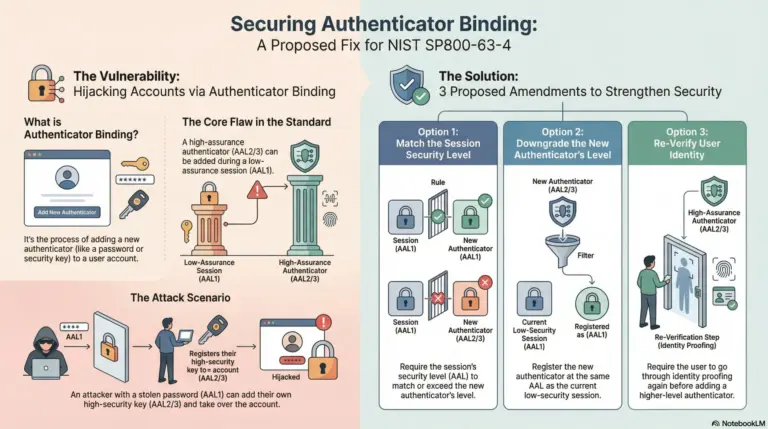
On NIST SP 800-63-4, Binding Levels of Assurance, and Account-Takeover Risk
This article analyzes the authenticator-binding provisions in NIST SP 800-63-4, examines the account-takeover risk created when a higher-assurance authenticator can be added from a lower-assurance session,…

OpenAI Launches Sign in with ChatGPT (Based on OpenID Connect)
(Work in progress; last updated 2026-10-02 12:39 JST) On September 29, at DevDay 2026, OpenAI officially announced Sign in with ChatGPT (SIWC). I would like to…
When Software Becomes Staff: Governance, Security, and Safety for Agentic AI
Below is the transcript of my keynote speech at EIC 2026 on May 19, 2026. The slides are provided as a PDF at the end of…